Buying a Minnesota License on eLicense
There’s nothing quite like the excitement that builds as hunting season approaches in Minnesota. You’ve probably spent countless hours scouting, preparing your gear, and dreaming of crisp mornings in the field. But then, reality hits: you need to get your licenses. For many of us, this used to be a frantic dash to a local vendor, often with a long line, outdated information, or the nagging fear that you’re forgetting something crucial. This guide is here to wipe away that frustration, offering a comprehensive walkthrough of buying your Minnesota hunting license through the eLicense system, making it smoother than a fresh coat of snow.
Why eLicense is Your Go-To for Minnesota Hunting Licenses
Let's be honest, the administrative side of hunting can sometimes feel like more of a chore than a thrill. Fumbling through paper forms, trying to remember if you bought your stamp, or rushing to a bait shop before closing time – it’s all part of the "old way" that many of us endured for years. But thankfully, Minnesota’s eLicense system has transformed this process, offering a streamlined, accessible way to get all your necessary permits and tags. It truly takes a lot of the headache out of preparation.
The Old Way Versus the New Way
Think back to the "good old days," or perhaps not-so-good old days, when securing a hunting license meant a physical trip. Maybe it was the local DNR office, or a sporting goods store, or even a gas station in a small town. You’d stand in line, probably on a busy Saturday morning just before deer opener, hoping the clerk knew the difference between an archery tag and a muzzleloader permit. There was always that moment of dread, wondering if they’d run out of the specific tag you needed or if their printer would jam. It wasn't just inconvenient; it was often a source of real anxiety when you had a million other things to prepare for your hunt.
The eLicense system swoops in like a hero, eliminating most of these logistical nightmares. Instead of waiting, you can manage everything from your couch, at your own pace, ensuring accuracy and peace of mind. No more driving miles out of your way, no more deciphering handwritten forms, and certainly no more hoping the person behind the counter is having a good day. It’s a digital solution designed with the modern hunter in mind, and once you get the hang of it, you’ll wonder how you ever managed without it.
Accessibility from Anywhere
One of the greatest benefits of the eLicense system is its sheer accessibility. Whether you're at home on your desktop computer, checking license deadlines on your tablet while waiting for an oil change, or even pulling up your digital license on your phone while deep in the woods, the system is designed to be available when and where you need it. This 24/7 access means no more missing application deadlines because you couldn't get to a vendor in time. You can purchase your Minnesota Resident Hunting License Options or Minnesota Nonresident Hunting License Options at 2 AM if that's when inspiration strikes.
This flexibility is a game-changer, especially for those of us who juggle busy work schedules, family commitments, and all the other demands of modern life. It also means that if you suddenly decide you want to try Hunting Minnesota's Fall Turkey Season and realize you need a specific permit, you can often secure it instantly, rather than losing precious hunting time making a special trip. The system is designed to remove barriers, not create new ones, making hunting more attainable for everyone.
Getting Started: Creating Your eLicense Account
Before you can dive into the exciting world of purchasing your tags, you'll need to set up your eLicense account. Think of this as your personal hunting headquarters, where all your past licenses, certifications, and application histories will reside. It’s a straightforward process, but having all your ducks in a row beforehand will make it even smoother.
What You'll Need Before You Begin
Gathering a few key pieces of information before you sit down to create your account can save you a lot of backtracking and frustration. It’s like checking your gear before heading out for a hunt – preparation is key. Here's a quick checklist to make sure you're ready to roll:
- Your Personal Information: This includes your full legal name, date of birth, current address, phone number, and email address. Ensure these match what's on your official ID.
- Social Security Number: This is required by law for all hunting and fishing license purchases in Minnesota.
- Driver's License or State ID Number: This helps verify your residency and identity.
- Hunter Safety Certificate Number: If you’re a new hunter or buying a license for a youth, you’ll need to provide proof of completing Minnesota Hunter Safety Requirements. Make sure you have the certificate number handy.
- Previous DNR Customer ID (if applicable): If you've ever purchased a license in Minnesota before, even years ago, you likely have a customer ID. Finding this can sometimes link your new account to your old history, preventing duplicate profiles. If you don't have it, the system can often help you look it up using your other personal info.
Having these details neatly laid out will prevent you from having to dig through drawers or interrupt the process to hunt for a forgotten number. This little bit of prep goes a long way!
The Step-by-Step Account Setup
Alright, you've got your info ready. Let's walk through the actual account creation process on the Minnesota DNR's eLicense system. It’s designed to be user-friendly, but having a guide always helps, right?
- Visit the Minnesota DNR eLicense Website: Open your web browser and navigate to the official Minnesota DNR eLicense portal. You'll usually find a prominent link for "Licenses" or "Buy a License" on the main DNR page.
- Locate "Create Account" or "New User": Look for a button or link that prompts new users to create an account. It might be labeled something like "Register Now" or "First-Time User."
- Enter Personal Information: The system will guide you through entering your full name, date of birth, address, and contact details. Double-check for typos!
- Provide Identification Details: This is where you'll input your Social Security Number and driver's license/state ID number. Again, accuracy is paramount for verification.
- Confirm Hunter Education (if necessary): If you're required to have hunter education, you'll be prompted to enter your certificate number. The system will then verify this information against its records.
- Create Login Credentials: You'll choose a username and password. Make sure it's something secure but memorable. It's often a good idea to write it down somewhere safe, just in case.
- Review and Submit: Before finalizing, the system will usually display a summary of your entered information. Take a moment to review everything one last time. Once you're confident, click "Submit" or "Create Account."
Once your account is successfully created, you'll likely receive a confirmation email. It’s a good idea to keep this email for your records, as it often contains your customer ID. Now you're ready for the fun part: buying those licenses!
Navigating the System: Finding the Right Licenses and Permits
With your eLicense account set up, you're now ready to explore the vast array of licenses and permits available in Minnesota. This is where it can sometimes feel a little overwhelming, with all the different types and categories. But don’t worry, the system is designed to help you filter and find exactly what you need. Even services like GoHunt offer digital tools and resources to help hunters understand regulations and license applications, making the process smoother.
Understanding Minnesota's License Structure
Minnesota has a pretty diverse hunting landscape, and with that comes a diverse license structure. It’s not just a single "hunting license" – it’s a series of specific permits and stamps that vary depending on what you’re hunting, where you’re hunting, and even when.
Let's break it down:
- Big Game Licenses: This category primarily includes deer, bear, and elk. For deer, you'll choose based on your preferred weapon: Minnesota Deer License Options by Weapon. You might need specific archery, firearm, or muzzleloader licenses.
- Small Game Licenses: This covers things like grouse, pheasants, squirrels, rabbits, and waterfowl. Often, a general small game license will cover many species, but some migratory birds have additional requirements.
- Migratory Bird Stamps and Certification: If you're chasing ducks, geese, woodcock, or doves, you'll need both a Minnesota Migratory Bird Stamp Cost and a Minnesota Federal Duck Stamp Requirement, along with the crucial Minnesota HIP Certification for Bird Hunters. This certification is free but mandatory and confirms you understand migratory bird regulations.
- Other Permits/Stamps: This could include a Minnesota Pheasant Stamp Requirement if you're hunting pheasants, or special permits for specific areas or seasons.
The eLicense system usually presents these in clear categories, allowing you to easily browse what's available. Take your time, read the descriptions, and make sure you select the correct options for your intended hunt. There's nothing worse than getting to your hunting spot and realizing you bought the wrong tag!
Applying for Lottery or Special Permits
Some of Minnesota's most sought-after hunting opportunities aren't simply "bought" – they're applied for through a lottery system. This applies to many antlerless deer tags, bear permits, and spring turkey permits in specific zones. The eLicense system is where you'll submit these applications, and knowing the deadlines is absolutely critical. Services like GoHunt often publish comprehensive guides to these application windows, which can be invaluable.
- Antlerless Deer Lottery: In many deer permit areas, especially those designated "Lottery" or "Managed," you’ll need to apply for an antlerless permit. This is how the DNR manages deer populations. The eLicense system provides a clear pathway to apply for these permits, typically with a deadline of September 10th. Learning How the Antlerless Lottery Works can save you a lot of confusion.
- Bear Lottery: Bear hunting is very popular in Minnesota and permits are limited by permit area. Applying through the eLicense system is your ticket into the drawing. Just like deer, there’s a crucial Minnesota Bear Lottery Application Deadline you absolutely cannot miss.
- Spring Turkey Lottery: While some turkey seasons offer over-the-counter tags, specific high-demand zones or early periods might require a lottery application. Keep an eye on the Minnesota Spring Turkey Application Deadline to ensure you get your name in the hat for your preferred zone and period.
When applying for these lotteries, the eLicense system will confirm your selection and provide a confirmation number. Always keep this number! It's your proof that you applied, and you’ll need it to check draw results later. It's a system designed for fairness and management, but it relies on you hitting those deadlines.
| License Type | Common Requirements | eLicense Category |
|---|---|---|
| Firearm Deer | Deer License, ID, SSN, Hunter Safety | Big Game / Deer / Firearm |
| Archery Deer | Deer License, ID, SSN, Hunter Safety | Big Game / Deer / Archery |
| Muzzleloader Deer | Deer License, ID, SSN, Hunter Safety | Big Game / Deer / Muzzleloader |
| Small Game (Resident) | Small Game License, ID, SSN | Small Game |
| Small Game (Nonresident) | Nonresident Small Game License, ID, SSN | Small Game / Nonresident |
| Pheasant Stamp | Small Game License, ID, SSN | Stamps / Pheasant |
| Federal Duck Stamp | Purchased separately (USPS), attached to license | Migratory Birds (system reminds you) |
| MN Migratory Bird Cert. | HIP Certification (free), ID, SSN | Migratory Birds / HIP |
| Spring Turkey (Lottery) | Turkey License, ID, SSN, Hunter Safety, Zone/Period | Big Game / Turkey / Lottery Application |
| Bear (Lottery) | Bear License, ID, SSN, Hunter Safety, Permit Area | Big Game / Bear / Lottery Application |
The Importance of Migratory Bird Certification
For anyone planning to hunt ducks, geese, woodcock, snipe, or doves, the Migratory Bird Harvest Information Program (HIP) certification is not just a suggestion – it’s a federal requirement, and Minnesota enforces it. Even if you hold a federal duck stamp, if you don't complete the HIP certification, you cannot legally hunt migratory birds.
The good news is, getting your Minnesota HIP Certification for Bird Hunters through eLicense is usually a quick, free step in the purchasing process. When you select a small game license or a specific migratory bird stamp, the system will often prompt you directly to complete the HIP survey. This survey asks a few simple questions about your previous year's migratory bird hunting activity, which helps federal wildlife agencies gather data on harvest numbers. Don't skip it! It's a vital part of conservation efforts and keeps you on the right side of the law.
The Purchase Process: From Cart to Confirmation
You've navigated the license jungle, found exactly what you need, and now it's time to seal the deal. The eLicense system has a straightforward checkout process, much like any online shopping experience. Still, a little guidance can prevent those "did I click the right button?" moments.
Adding Licenses to Your Cart
As you select each license, stamp, or lottery application, the eLicense system will typically add it to a virtual shopping cart. Before you proceed to payment, it's crucial to take a moment and review everything you've added.
- Review Your Selections Carefully: This is your last chance to ensure you haven't accidentally selected a resident license when you're a nonresident, or a youth license for an adult. Check the species, the season (if applicable), and the permit area numbers. Imagine getting all the way to your deer stand and realizing you bought a tag for the wrong zone – a real nightmare!
- Confirm Quantities: Most hunters will only need one of each type of license, but double-check to make sure you haven't inadvertently added multiple identical items to your cart.
- Check for Missing Requirements: The system is usually smart enough to flag if you're missing a mandatory stamp (like the pheasant stamp if you selected a pheasant hunting opportunity) or if you haven't completed your HIP certification. Pay attention to any warnings or prompts the system provides. It’s trying to help you stay legal!
This review step is a safety net. Taking an extra minute here can save you hours of headache and potential legal trouble down the road.
Payment and Confirmation
Once your cart looks perfect, you'll proceed to the payment stage. The eLicense system is secure and accepts most major credit and debit cards.
- Enter Payment Information: You'll be prompted to input your credit card number, expiration date, and security code. Ensure you're on a secure network when doing this, especially if you're not at home.
- Final Review and Purchase: Before you click the final "Purchase" or "Submit Order" button, you might see one last summary of your order and the total cost. Give it a quick once-over, then complete the transaction.
- Confirmation and Receipt: Upon successful payment, you'll receive an on-screen confirmation message. This usually includes an order number and a link to print your licenses immediately. You'll also typically receive an email confirmation with your purchase details and a digital copy of your licenses. Do not delete this email! It's your official record.
It’s always a good practice to save or print the confirmation email and the licenses themselves right away. Technology can be fickle, and having a backup is never a bad idea.
Printing and Carrying Your License
So you’ve bought your license – now what? You need to make sure you have proof of it with you in the field. Minnesota offers a few options, and it’s important to understand them.
- Printing Your License: The most traditional method is to print your license(s) on standard paper. You can usually do this right after purchase from the confirmation page or by logging back into your eLicense account. Many hunters prefer this method because a paper copy is robust, doesn't rely on battery life, and can be easily displayed. Fold it up, put it in a waterproof bag, and keep it in your wallet or hunting pack.
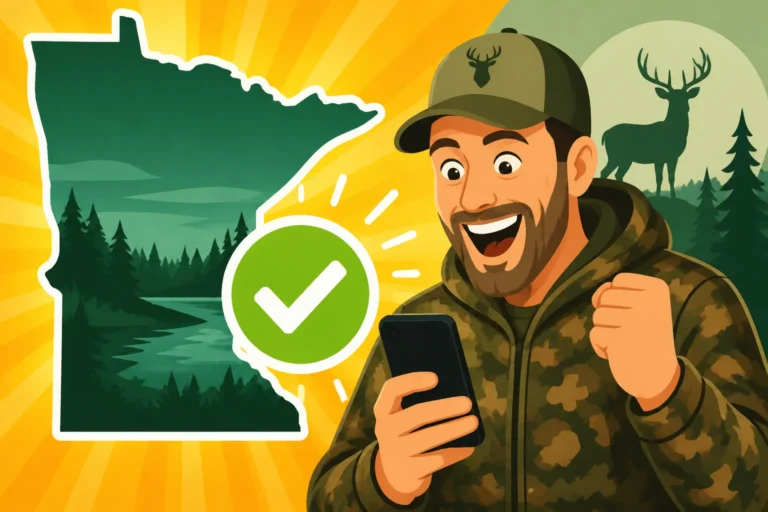
- Carrying Proof of License on Your Phone: Good news for the tech-savvy! Minnesota law now allows you to carry proof of most licenses on your electronic device, like your smartphone. This means you can show your license directly from the eLicense portal or a saved PDF on your phone. However, there are a couple of really important caveats to keep in mind, as detailed in Carrying Proof of License on Your Phone.
- Battery Life: Your phone dying in the field is not an excuse for not being able to produce your license. Always have a backup plan, whether that's a portable charger or a physical printout.
- Visibility: The license must be clearly legible on your device.
- Digital Access: Make sure you can access the document even without cell service, which can be spotty in many hunting areas. Downloading a PDF to your phone is a good idea.
Many hunters choose a hybrid approach: a digital copy on their phone for convenience, plus a laminated physical copy tucked away as a failsafe. This way, you’re always prepared for whatever the Minnesota wilds (or a conservation officer) might throw at you.
Troubleshooting Common eLicense Headaches
Even the most well-designed systems can have their quirks. While eLicense is generally very reliable, hunters sometimes run into issues. Knowing how to troubleshoot these common problems can save you a lot of stress when you're on a deadline or just want to get out in the woods.
Account Access Issues
Forget your password? Locked yourself out? These things happen, especially when you only log in once a year.
- Forgotten Password: Most eLicense systems have a "Forgot Password" link. This will usually send a password reset link to the email address associated with your account. Make sure you check your spam folder if it doesn't appear in your inbox immediately.
- Locked Account: If you've tried too many incorrect passwords, the system might temporarily lock your account for security reasons. Often, waiting for a short period (e.g., 15-30 minutes) will unlock it, allowing you to try again with the "Forgot Password" option. If that doesn't work, you'll need to contact customer support.
- Incorrect Information: Sometimes, if you've entered incorrect personal details during account creation (like a wrong birth date or SSN), it can cause issues when trying to log in or verify your identity. This is why double-checking during setup is so important.
If you find yourself truly stuck, don't bang your head against the keyboard. The DNR customer service is there to help.
License Not Appearing
You've paid, you've confirmed, but you can't see your shiny new license! This can be incredibly frustrating.
- Payment Processing Delays: Occasionally, there can be a slight delay between your bank processing the payment and the eLicense system fully updating your account. Give it a little time, perhaps an hour or two, and check again.
- Browser Cache/Cookies: Sometimes your web browser holds onto old information. Try clearing your browser's cache and cookies, or try accessing the eLicense site from a different browser or device.
- Check "My Licenses" Section: Make sure you're looking in the correct section of your eLicense account. There's usually a dedicated "My Licenses" or "My Permits" area where all your current and past purchases are stored.
- Confirmation Email Check: Did you receive the confirmation email? Sometimes the email arrives with the license attached as a PDF even if it's not showing up on the portal immediately.
If you've waited a reasonable amount of time and tried the browser tricks, and your license still isn't showing, it's time to reach out to the DNR directly.
Customer Support Options
When all else fails, a real person can often be the best solution. The Minnesota DNR provides excellent customer support for eLicense issues.
- Phone Support: The most direct way to get help is to call the Minnesota DNR's Information Center or the specific licensing support line. These numbers are usually prominently displayed on the DNR website. Have your customer ID (if you know it), your SSN, and details of your issue ready. The wait times can sometimes be long during peak season, so try to call during off-hours if your issue isn't urgent.
- Email Support: Many DNR websites also offer an email support option. While it might not be as immediate as a phone call, it allows you to describe your problem in detail and attach screenshots if necessary. Just be prepared for a response time that could be a day or two.
- In-Person Assistance: If you live near a DNR office or a physical license agent, sometimes the fastest way to resolve a complex issue is to go in person. Bring all your identification and any confirmation numbers you have.
Remember, the staff are there to help you. Being polite and having all your information organized will make the process much smoother for everyone involved.
Beyond the Purchase: eLicense for Managing Your Hunting History
The eLicense system isn't just a one-and-done purchase portal. It's a comprehensive tool for managing your hunting life in Minnesota, offering valuable features that extend beyond merely buying a tag. Leveraging these features can help you stay organized, track your activities, and plan for future seasons.
Viewing Past Licenses and Harvest Reports
One of the often-overlooked benefits of the eLicense system is its historical record-keeping. Your account typically stores a complete history of all the licenses and permits you’ve purchased over the years.
- Accessing Your History: Within your eLicense profile, look for a section like "License History" or "Previous Purchases." Here, you can usually view, and often re-print, any past licenses. This is incredibly handy if you ever need to verify a previous purchase, check dates, or simply reminisce about past hunts.
- Tracking Harvests: For big game species like deer, Minnesota requires you to register your harvest. While this is often done online or by phone immediately after the kill, your eLicense account can sometimes link to your past harvest reports, providing a consolidated view of your hunting success. This information is not only personally satisfying but can also be useful for future planning, like remembering which zones you’ve had success in.
Maintaining this digital archive saves you from having to keep stacks of old paper licenses. It also offers a fantastic way to review your personal hunting journey over the seasons, a feature that even sophisticated platforms like GoHunt emphasize for strategic planning.
Updating Personal Information
Life happens. You move, your phone number changes, or your email address might get updated. Keeping your personal information current in the eLicense system is vital for several reasons.
- Receiving Important Communications: The DNR uses the contact information on your account to send out important updates regarding season dates, regulation changes, lottery results, and CWD information. If your email or address is outdated, you could miss critical notifications.
- Ensuring Accurate Records: For residency verification and enforcement purposes, it's crucial that the information on your eLicense account matches your current legal identification. If there's a discrepancy, it could lead to complications in the field.
- Seamless Renewals: When it comes time to renew licenses or apply for lotteries next season, having accurate, up-to-date information will ensure a smooth process without any hiccups or delays.
Most eLicense systems will have a "Profile" or "My Account" section where you can easily update your address, phone number, and email. Make it a habit to check and update this information annually, perhaps when you're applying for your first license of the new year. It’s a small task that can prevent big headaches.
Disclaimer
Please remember that hunting regulations, license requirements, and season dates are subject to change. While this guide aims to provide accurate and up-to-date information, it is your responsibility as a hunter to consult the official Minnesota Department of Natural Resources (DNR) website and current hunting regulations booklet before heading afield. Always verify specific rules for your intended hunting area and species. This content is for informational purposes only and should not be considered legal advice.